We've added a complete view of your electricity prices to the SG Connect app
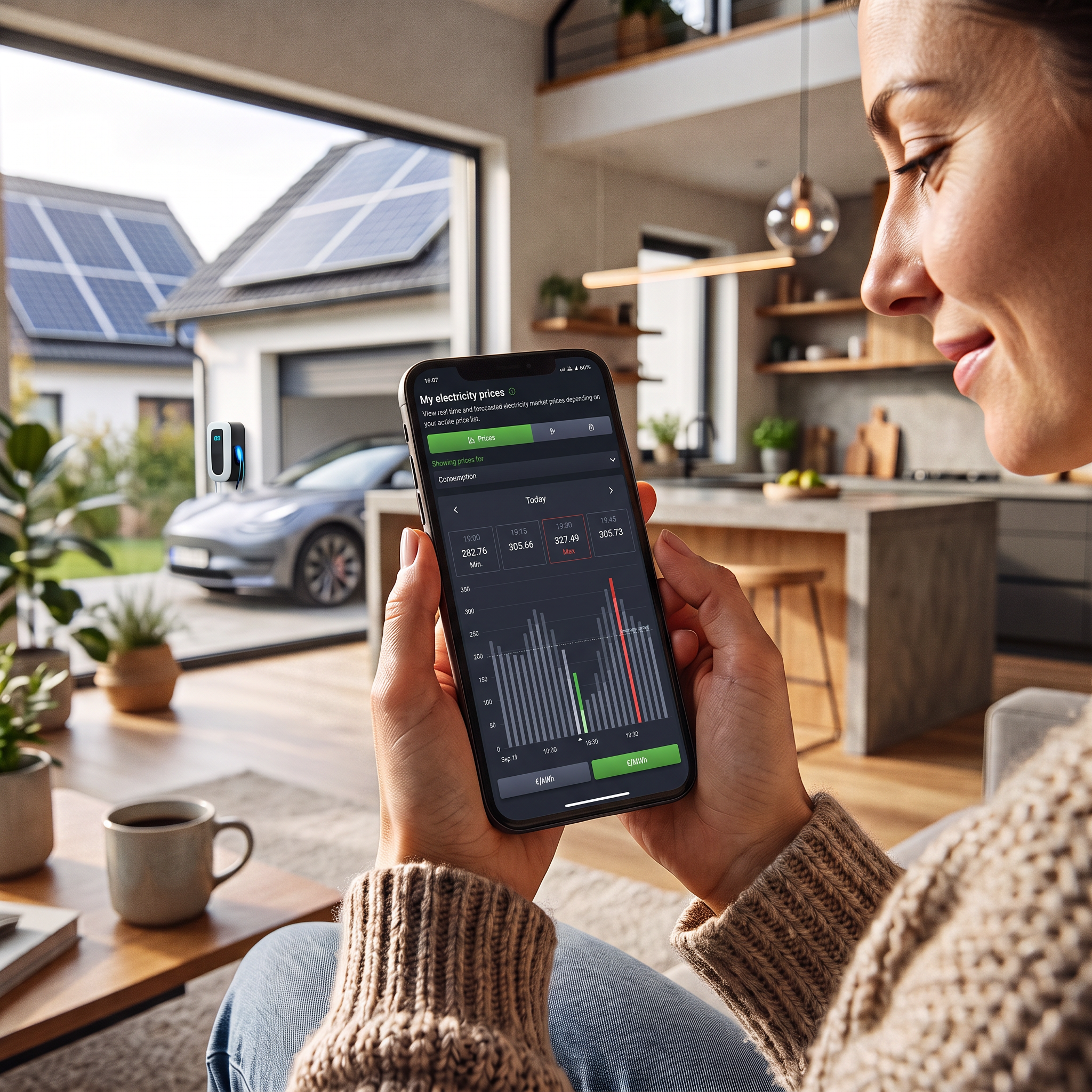
Your prices
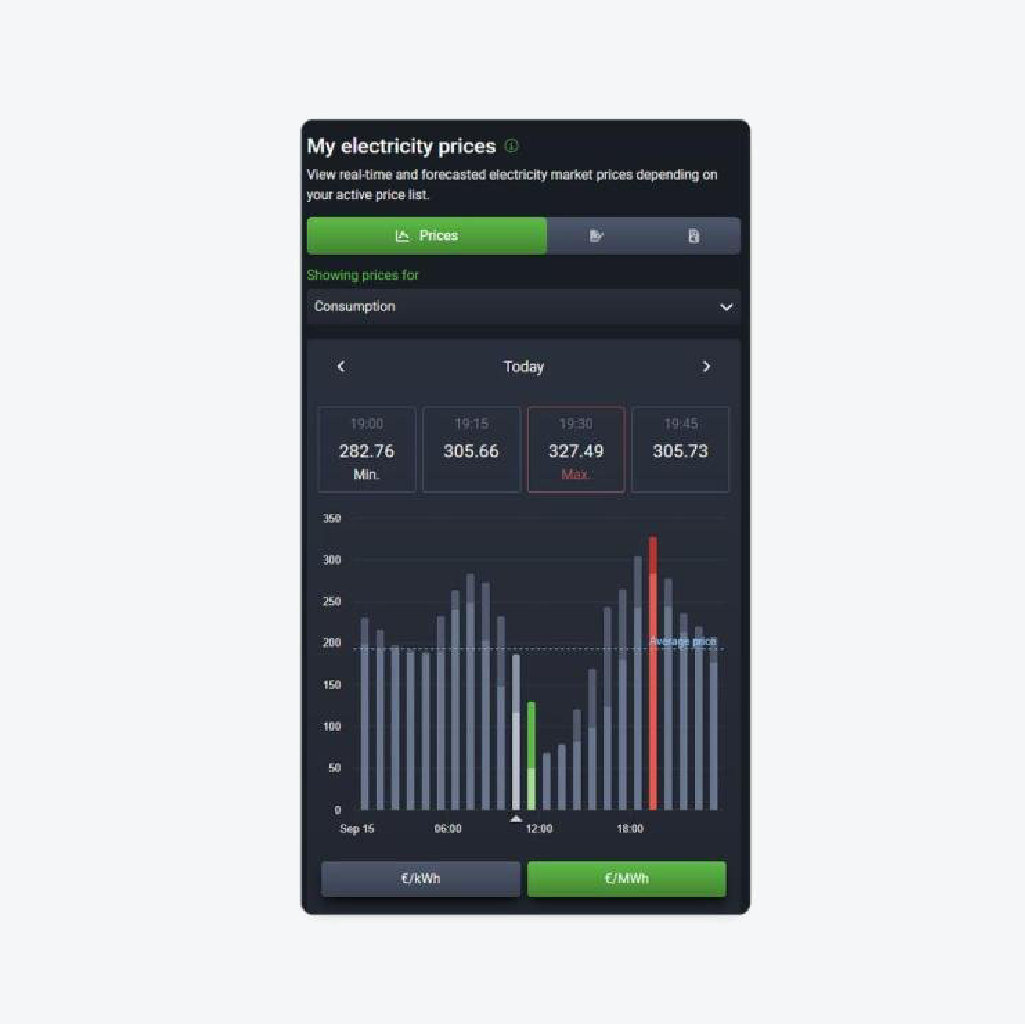
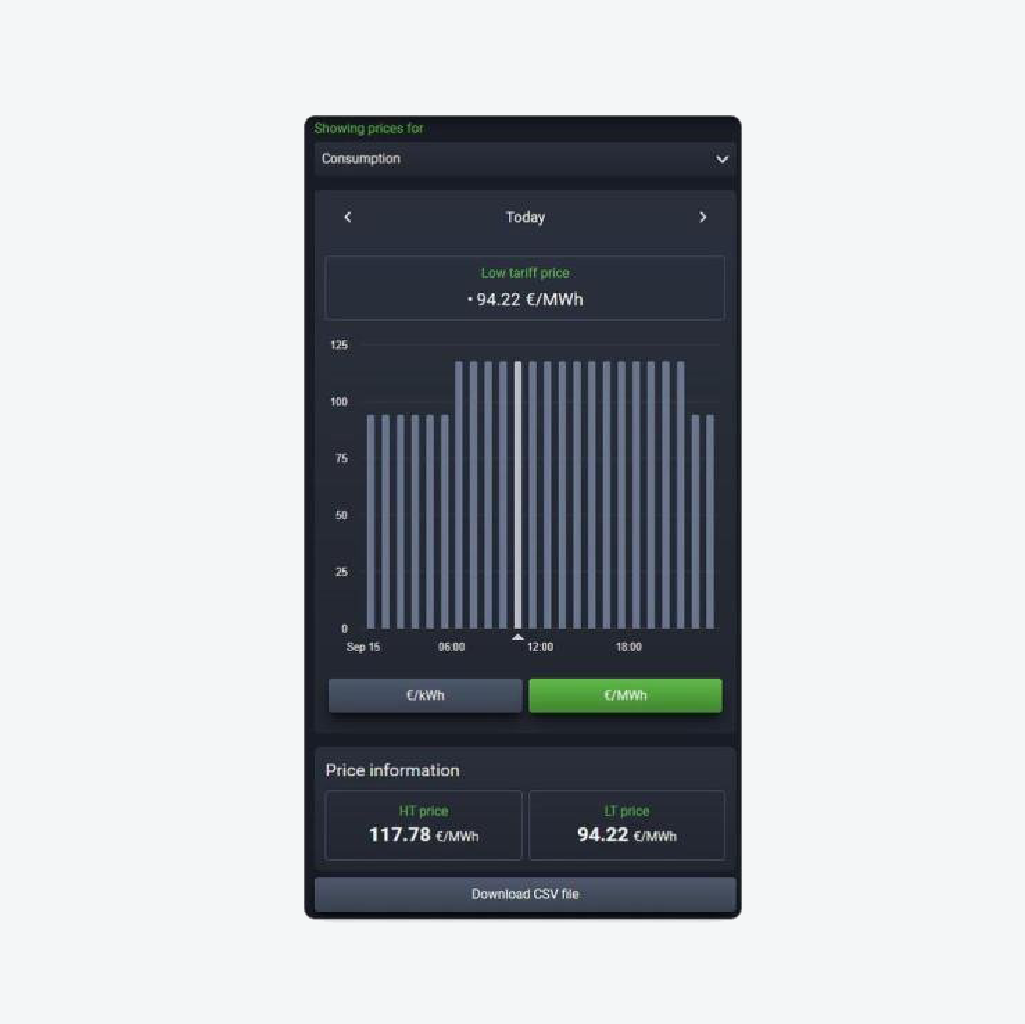
In addition to the market price, the app shows the user's contract price for every hour of the day, including the peak and off-peak price. The display can be switched between EUR/kWh and EUR/MWh, and within the same section also to day-ahead market prices, so users can compare their own price with the market. Consumption and generation are shown separately, each with its own price list, and the data can be downloaded as a CSV file.
All three billing models are supported: a fixed price that applies throughout the term of the contract; a dynamic price that follows the market and changes by the hour; and a hybrid price, where part of consumption is billed at the fixed and part at the dynamic price.
Contracts and billing
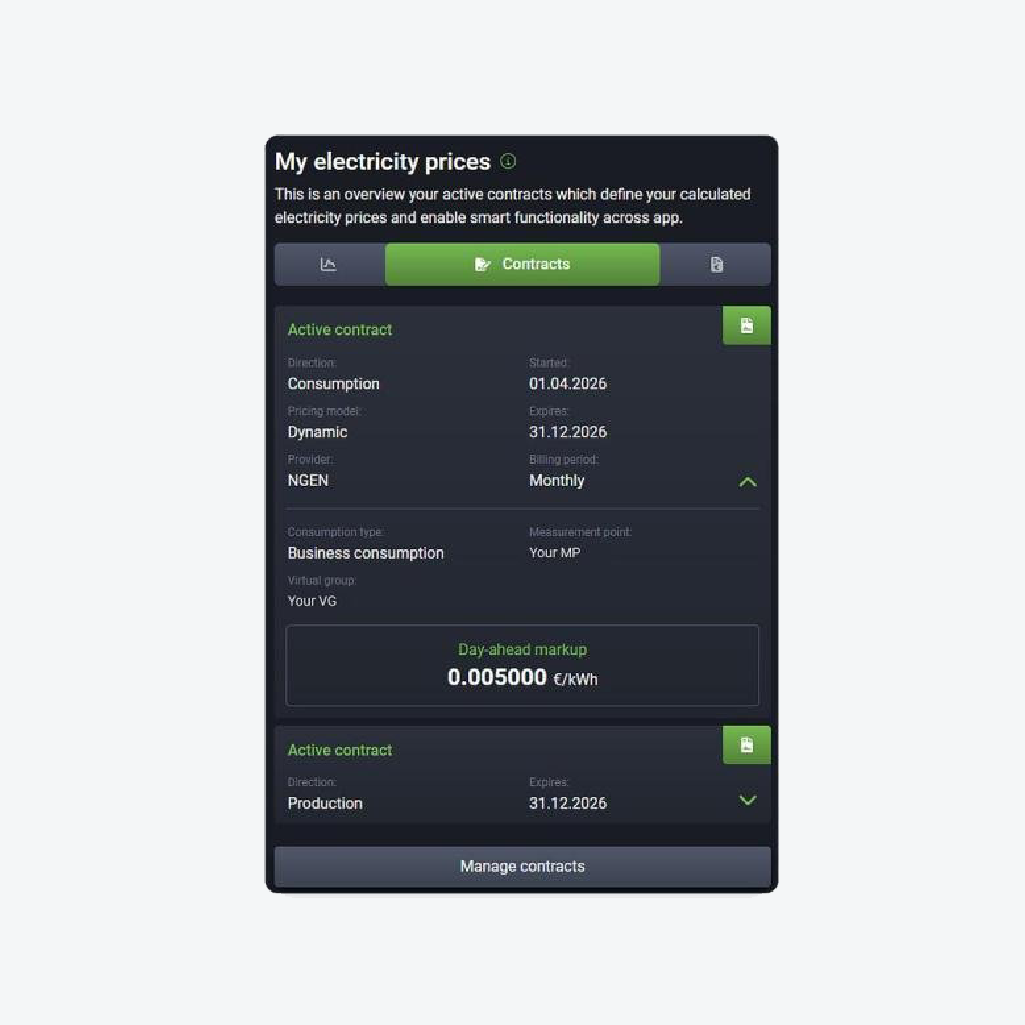
The Contracts tab shows concluded contracts, their duration, billing model and agreed price; consumption and generation are separate contracts, each with its own terms. Manage contracts also brings together past contracts and those already concluded for the future.
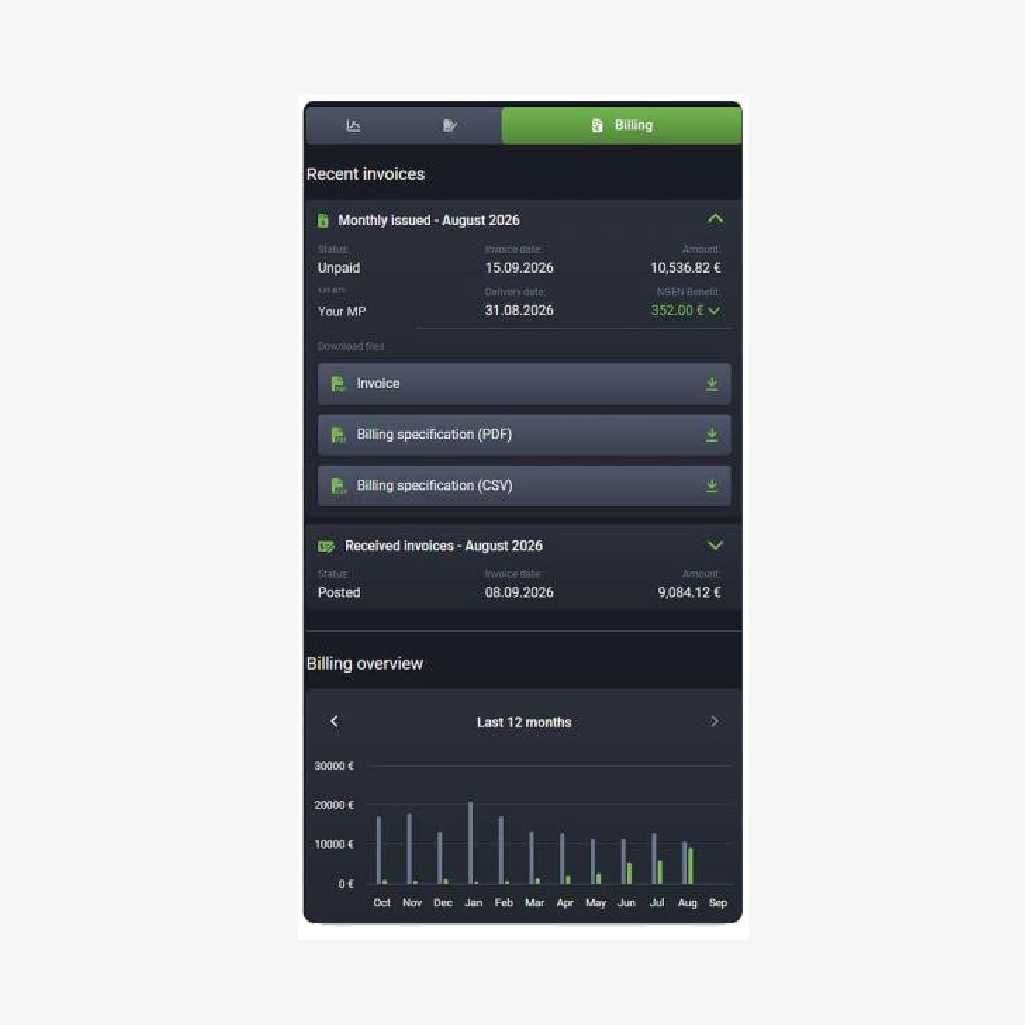
The Billing tab shows how much the user actually how much the user actually paid. Received and issued invoices and credit notes are sorted by metering point and billing period, with the payment status and with the invoice and the billing specification available for download in PDF or CSV format. The NGEN Benefit is shown separately on the invoice.
Network charges and time blocks
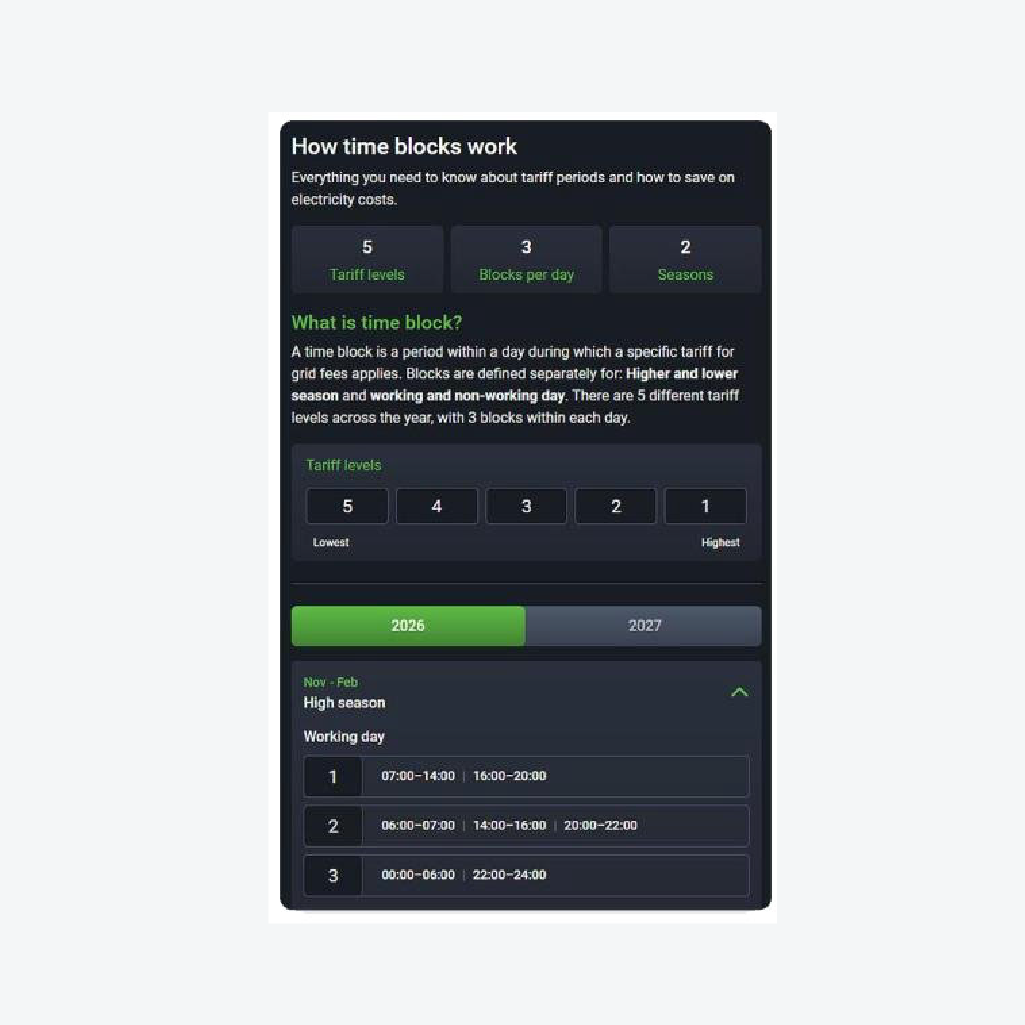
The network charge is the part of the electricity bill that covers the use of the network. Its amount depends on the agreed power (billing power) per time block and on whether that power is exceeded. The app shows the agreed power in kilowatts (kW), as set by the distribution system operator (DSO), while the system of time blocks comprises five tariff levels, three blocks per day and two seasons. The full annual schedule, including for 2027, is available on the How time blocks work page.
When NGEN is the supplier, the app retrieves the time blocks* directly from the DSO; they can also be entered manually, with guided step-by-step entry. This data does more than inform – for business users, NGEN uses it together with the SG Brain system to optimise the operation of the user's system and keep the bill as low as possible.
* Manual entry of time blocks is currently supported for the Slovenian market only.
Available even without a contract with us
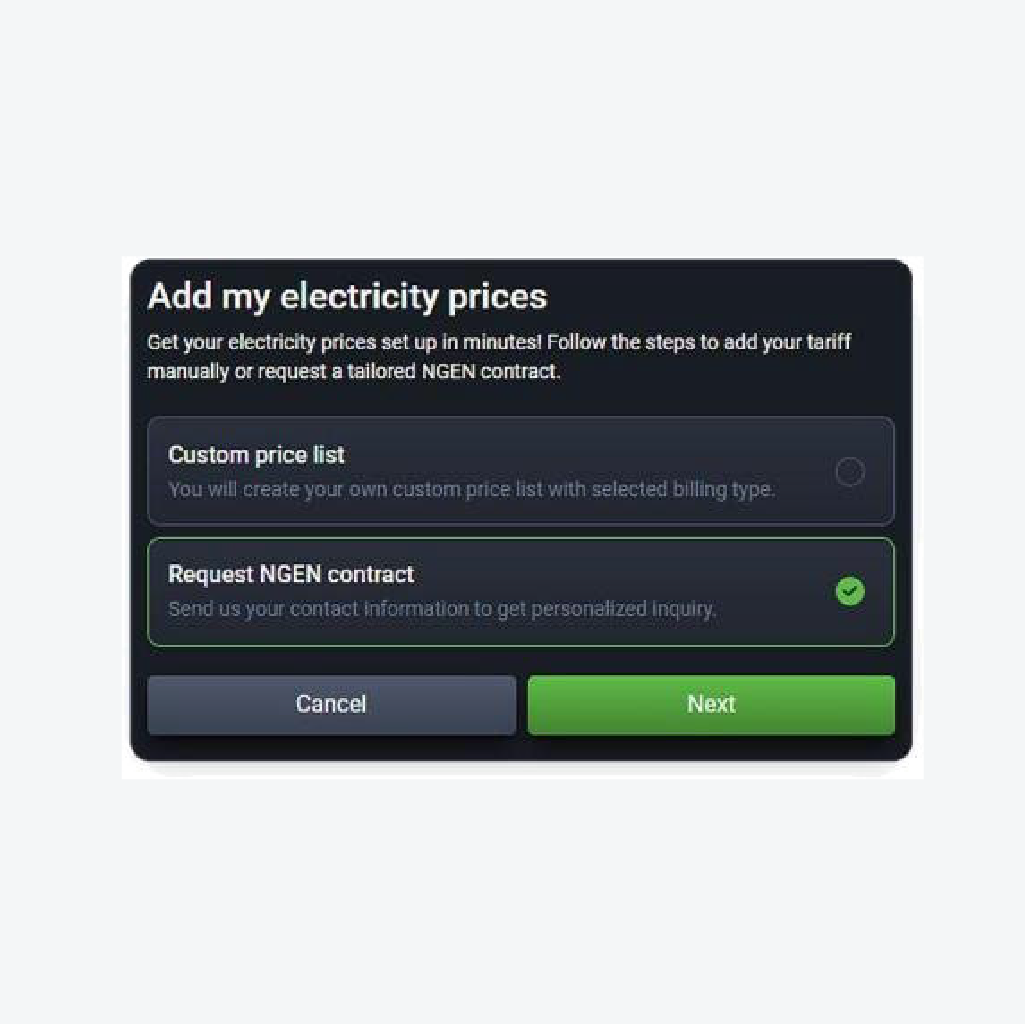
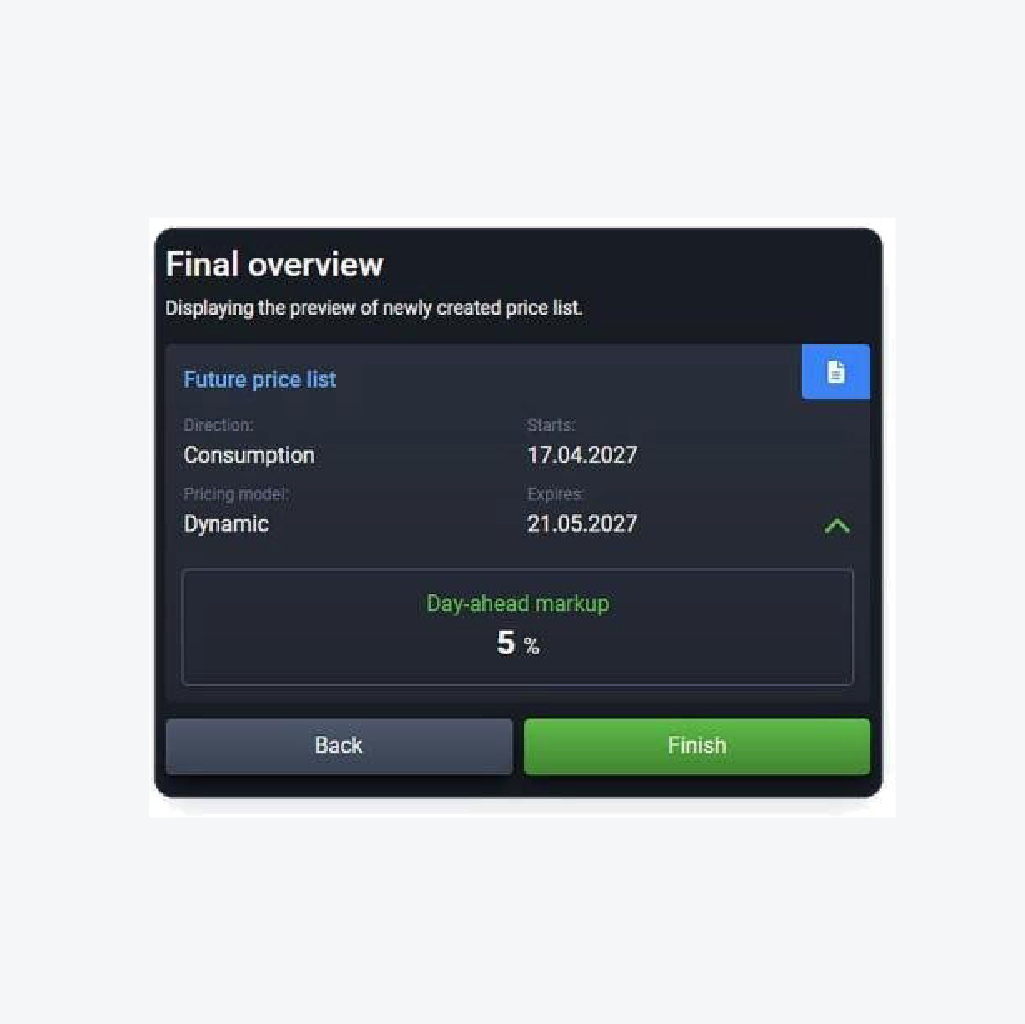
Users who do not yet have a contract with NGEN can enter their own price list and time blocks themselves, with guided step-by-step entry, and see a preview of the complete price list before saving.
Where to find the section
Users open the SG Connect app, select their device and then Electricity prices. The agreed power is available in Settings. On the first visit, a short guided tour introduces the new features.
Your energy, live in one app.
SG CONNECT now reports optimisation results in euros